

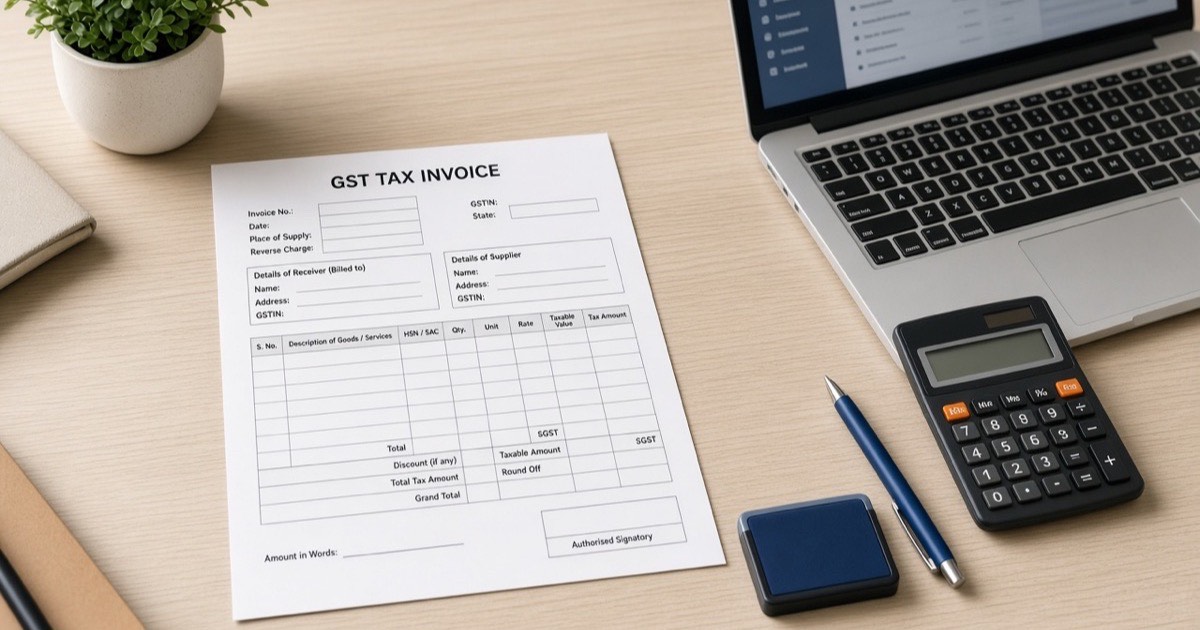
If you sell on Shopify from India, GST is not optional paperwork you can fix later. Shoppers expect tax-inclusive prices. Your accountant expects invoices with your GSTIN, HSN codes and a CGST/SGST or IGST split. Shopify will help with the checkout math, but it will not register you for GST, file returns, or print a GST-compliant bill. Shopify's own Help Center says that clearly. This guide walks through what you need before you touch the admin, how to set taxes for your home state and other states, where HSN codes go, why you need an invoice app, and how to test that an order to Bengaluru and an order to Mumbai do not show the same tax lines. It is a practical store setup guide, not tax advice. GST slabs and registration rules change; confirm rates and obligations with a chartered accountant. Shopify's India GST FAQ was updated after the September 2025 GST Council changes, so treat any rate table you copy from an old blog as suspect until your CA signs off.
The short answer
- Shopify calculates tax at checkout. You configure India under Settings → Taxes and duties, enter your GSTIN, and set rates for your home state and other states.
- Shopify does not create a GST-compliant invoice. You need a third-party GST invoicing app or an accounting tool that prints Rule 46 invoices.
- Defaults are not finished setup. Shopify ships example rates (often built around an 18% total). Most catalogues have more than one slab. You must review and override.
- HSN codes live on the product. Use the HS tariff code field in the product's Shipping section (minimum 6 digits in that field), or a metafield if your invoice app needs it.
- Always test two orders: one shipping address in your GST home state (expect CGST + SGST) and one in another state (expect IGST).
If you are still choosing a plan or budgeting the build, pair this with our Shopify store cost in India guide.
Do you need GST registration?
Shopify's Help Center lists common triggers, and says the list is not complete. In plain terms, registration often applies when:
- Your turnover in a financial year crosses the threshold Shopify cites (₹20 lakh generally, ₹10 lakh for certain North Eastern and hill states), or
- You supply goods inter-state, or
- You sell through online marketplaces, or
- You were already registered under older tax laws
E-commerce and inter-state rules catch many D2C brands earlier than the turnover threshold alone. Do not decide from a blog. Ask your CA whether you must register before you charge GST on the store. If you are not registered, do not display a GSTIN or issue tax invoices as if you were.
Once you have a GSTIN, keep the legal name and principal place of business consistent across GSTIN records, Shopify's store address, your payment gateway KYC and your invoice app. Mismatches are a common reason invoices get questioned later.
CGST, SGST and IGST in one minute
Indian GST splits by where the buyer is, relative to where your business is registered:
- Same state (intra-state): charge CGST + SGST (two halves that add up to the full rate)
- Different state (inter-state): charge IGST (one line at the full rate)
Shopify cannot show three separate statutory tax lines the way some Indian ERPs do. The Help Center says you set taxes so the sum of the state and central pieces is correct for in-state orders, and the integrated rate is correct for other states. Your invoice app then prints the split customers and accountants expect.
Place of supply for goods is normally the delivery state. That is why a wrong shipping address, a warehouse address used as the customer address, or a store address that does not match your GST registration breaks the split.
Before you open Shopify: get these from your CA
Setup goes wrong when the store is configured before the tax position is clear. Ask for a one-page note covering:
- Whether you are registered, and the 15-digit GSTIN
- Your principal place of business (home state)
- GST rate for each product category you sell, with the HSN code beside it
- Whether prices on the website should be tax-inclusive (almost always yes for Indian D2C)
- How shipping charges should be taxed
- Whether you sell B2B as well as B2C (buyer GSTIN capture matters)
- Whether e-invoicing (IRN) applies to you yet
Build a simple spreadsheet: product type → HSN → GST %. That sheet becomes your source of truth for Shopify collections, the product CSV and the invoice app. Do not invent HSN codes from memory; verify them on official tools or with your CA. Rates moved again after the September 2025 GST Council decisions, so refresh any sheet you built in 2024.
Step 1: Store address and GSTIN
1. In Settings → General, set the store address to your GST-registered principal place of business. The home state on this address drives intra-state versus inter-state behaviour.
2. In Settings → Taxes and duties, open India.
3. Enable tax collection for India if it is not already on.
4. Enter your GSTIN in the field Shopify provides for India.
If the admin UI has moved a label since you last looked, search Shopify's current Help Center for "GST in India". The destination is still Taxes and duties.
Also add your legal business name exactly as it appears on the GST certificate. Invoice apps usually pull a separate "legal name" field; fill that with the GST name, not the brand nickname on the homepage.
Step 2: Set CGST, SGST and IGST rates
Shopify's India FAQ shows default starting rates: country (CGST) at 9%, most states as IGST at 18% instead of the federal tax, and the example home state (Karnataka in their docs) as SGST at 9% added to the federal tax. Those defaults assume an 18% total. Shopify warns they are not ready to use until you review them.
Pattern most Indian stores follow (confirm numbers with your CA):
1. Decide the main GST rate for most of your catalogue (for example 5%, 12% or 18%).
2. Set the country / CGST piece to half of that rate for intra-state logic (for an 18% catalogue, 9% + 9%).
3. Set your home state to SGST at the matching half, with behaviour added to the federal/CGST piece.
4. Set other states to IGST at the full rate, with behaviour instead of the federal piece, so you do not double-tax.
5. Re-read Shopify's Maharashtra walkthrough in the Help Center if your full rate is not 18%. Their example uses a 28% product: country 14%, home state SGST 14% added, other states IGST 28% instead of federal.
Different products, different slabs. Shopify lets you override tax by collection. Create a hidden collection per slab (for example `GST 5%`, `GST 12%`, `GST 18%`), put the right products in each, and set collection tax overrides. Smart collections are fine for merchandising; for tax, many teams prefer manual collections so a tag typo cannot move a product into the wrong rate.
Tax-inclusive pricing. For Indian D2C, turn on including tax in product prices so ₹1,499 on the PDP is what the customer pays (tax portion calculated inside that price). If you leave prices exclusive, checkout totals jump and conversion drops. Pick one convention for your CSV and stick to it.
Step 3: Add HSN codes on every product
Shopify's FAQ: store the HSN in the HS tariff code field in the product Shipping section. That field wants at least 6 digits. If you need a shorter code on the invoice, Shopify suggests a metafield or product tag, and your invoice app must be told which field to read.
Practical rules we use on launches:
- Fill HSN when you create the product, not the week before GST filing
- Prefer 6 or 8 digits from day one so you are not re-tagging the catalogue when turnover rules tighten
- Keep a bulk CSV or metafield import for catalogues over a few dozen SKUs
- Make sure the invoice app's HSN source matches where you stored the code (native HS field vs `custom.hsn_code` style metafield)
HSN mistakes show up as wrong rates or failed invoice validation. They rarely show up as a loud error at checkout.
Step 4: GST-compliant invoices (Shopify will not do this)
Shopify's Help Center answers this in one line: No. Shopify doesn't create a GST-compliant bill. You need a local GST invoicing app from the Shopify App Store, or you push orders into accounting software that issues invoices.
A usable GST invoice for goods typically needs the particulars under Rule 46 of the CGST Rules: your name, address and GSTIN; a unique invoice serial number for the financial year; date; buyer details (and buyer GSTIN for registered B2B buyers); HSN; taxable value; tax rate and amount with CGST/SGST or IGST split; place of supply for inter-state supplies; and the other fields your CA says apply. Electronic invoices have their own signature rules; follow your app and accountant.
What to look for in an invoice app:
- Prints CGST/SGST vs IGST correctly from the order
- Shows GSTIN, HSN and invoice serial format your CA accepts
- Can capture buyer GSTIN on B2B checkouts if you need it
- Lets you set the legal name and address independently of the brand theme
- Reasonable cost at your order volume (many start free or at a few dollars a month for low volume)
Install the app after tax rates and HSN codes are in place. Most apps invoice from order data; they do not fix a wrong checkout tax setup.
Step 5: Shipping, COD and discounts
Three areas that break GST totals after the catalogue looks fine:
- Shipping: ask your CA whether shipping lines are taxable at the same rate as the goods, a different rate, or exempt in your fact pattern. Then check a test order where shipping is non-zero.
- Cash on delivery: COD is a payment method, not a tax exemption. Tax should still calculate on the order. Remittance and invoice timing still follow your process; see our payment gateway guide for India for COD fee behaviour on Shopify's side.
- Discounts: tax-inclusive discounts change the taxable value. Test an order with a percentage discount and one with a fixed-value discount. If you use a third-party checkout, confirm it still respects Shopify tax settings or the provider's own GST tools.
Returns and partial refunds need a credit-note process in your invoice app or accounts tool. Do not assume deleting a Shopify order fixes GST books.
Step 6: Test orders that actually prove the setup
Shopify says to place test orders after rates are entered. Do at least these four:
1. Intra-state paid order to an address in your home state. Expect CGST + SGST (or the equivalent split your invoice app shows) at the full rate for that product.
2. Inter-state paid order to another state. Expect IGST at the full rate, not CGST+SGST.
3. A product from a different GST collection, both intra and inter-state if you can. Confirms overrides.
4. Tax-inclusive check: the amount the customer pays should match the price on the PDP when inclusive pricing is on.
Then open the GST invoice from your app for each order. Checkout tax can look right while the invoice is missing HSN, GSTIN or the serial format. Fix that before you spend on ads.
If rates look wrong, Shopify's FAQ points to the usual causes: a tax-exempt customer or product, regional tax behaviour set to "added to" when it should be "instead of" (or the reverse), or inclusive pricing making tax invisible as a separate surprise line.
B2B, e-invoicing and marketplaces
B2B: if you sell to GST-registered buyers, you need their GSTIN on the invoice and often at checkout. That usually means a checkout field or B2B feature, plus an invoice app that prints it. Shopify Plus and B2B catalogues help larger programmes; smaller stores often use an app.
E-invoicing: reporting B2B invoices to the Invoice Registration Portal (IRN) is a turnover-based compliance track. Thresholds have tightened over time. This is CA territory. Your Shopify invoice app may integrate with e-invoicing tools, or you may issue from accounting software. Do not assume a consumer D2C invoice app covers IRN.
Marketplaces: selling on Amazon, Flipkart, Myntra or similar has its own TCS/TDS and reporting pattern. Shopify is your D2C channel. Keep GSTIN and HSN consistent across channels, but do not expect marketplace settlements to mirror Shopify invoices one-for-one without reconciliation.
Common mistakes we see on Indian Shopify launches
- Leaving Shopify's default 18%-style rates on a catalogue that is mostly 5% or 12%
- Store address in one state, GSTIN registration in another
- Tax-exclusive prices on a consumer fashion or beauty store
- HSN codes missing until the first CA chase at month-end
- Relying on Shopify's order PDF as a "GST invoice"
- One-click checkouts or custom checkouts that never inherited tax settings correctly
- No test order to a second state before the first Meta campaign
- Invoice legal name set to the Instagram handle instead of the GST legal name
Any one of these costs more to unwind after you have a month of orders than it costs to fix in week one.
A practical launch checklist
- CA note: registration, GSTIN, rates, HSN list, inclusive pricing decision
- Store address matches GST principal place of business
- GSTIN entered under Taxes and duties → India
- Base CGST/SGST/IGST rates set and reviewed
- Hidden collections + overrides for every extra slab
- HSN on every SKU (HS field and/or metafield your app reads)
- Tax-inclusive pricing on
- GST invoice app installed, legal name, address, logo, serial format checked
- Test: intra-state, inter-state, discounted, with shipping
- Invoice PDF reviewed by your CA once before paid traffic
- Process documented for refunds and credit notes
When the store is part of a wider build, this checklist belongs in the launch plan next to payments and tracking, not in a finance folder nobody opens until filing week. For build budgeting, see Shopify store cost in India. For gateway fees that sit next to GST on prepaid orders, see payment gateways in India.
FAQs
How do I add GST to Shopify in India? Open Settings → Taxes and duties → India, enable tax collection, enter your GSTIN, set CGST/SGST for your home state and IGST for other states, add HSN codes on products, turn on tax-inclusive pricing if that is your model, then install a GST invoice app. Test intra-state and inter-state orders.
Does Shopify charge GST on its subscription? Shopify's billing and tax on its own fees are separate from the GST you charge customers. Check your Shopify invoice and ask your accountant how to treat it. This guide is about tax on your sales.
Does Shopify provide GST invoices? No. Shopify's Help Center states it does not create a GST-compliant bill. Use a Shopify App Store GST invoicing app or another billing system.
Where do I put the HSN code in Shopify? In the HS tariff code field under the product's Shipping section. The field requires at least 6 digits. For shorter codes, use a metafield or tag and map it in your invoice app.
What is the difference between CGST, SGST and IGST on Shopify? Same-state orders use CGST+SGST. Other-state orders use IGST. You configure Shopify so the amounts match; your invoice app prints the statutory split.
Do I need a GSTIN to open a Shopify store? You can start building without one, but if you are required to be registered, you should not charge GST or issue tax invoices without a GSTIN. Registration rules depend on turnover, inter-state supply and marketplace sales. Ask a CA.
How do I charge different GST rates on different products? Create a collection per GST slab, assign products, and set tax overrides for those collections. Confirm with test orders.
Is this tax advice? No. It is a Shopify configuration guide based on Shopify's public India GST FAQ and common D2C practice. GST law and rates change. Use a qualified chartered accountant for registration, rates, returns and e-invoicing.
Our take
Treat GST setup as part of launch, not as a finance chore after the first sale. The store work is straightforward when the CA note is clear: address and GSTIN, rates and overrides, HSN on every SKU, tax-inclusive prices, a proper invoice app, and four test orders. The expensive failures are almost always skipped tests and missing invoices, not missing theme features.
We configure taxes, HSN fields, invoice apps and checkout QA as part of Shopify design and development launches for Indian D2C brands. If you want a quick read on what your live store is getting wrong before filing season, start with the free Shopify store audit. Bring your CA into the loop before you change rates on a store that already has months of orders.
If any of this sounds like your situation, talk to us. We'll tell you exactly where your revenue is leaking and what it would take to fix it. Explore Strategy & Consulting →